If you are building a SaaS product on Laravel, one of the first architecture decisions you will face is how to separate one customer's data from another's. This is multi-tenancy, and the model you pick shapes your hosting costs, your security story, how fast you can ship features and how painful your first enterprise deal will be. It is also one of the hardest decisions to reverse once real customers are on the platform.
The short answer: most early-stage B2B SaaS products are best served by a single database with a tenant_id column on every tenant-owned table, enforced automatically at the framework level. Move to database-per-tenant when you have contractual isolation requirements, very uneven tenant sizes or customers who need their own data residency. A hybrid of the two is common once you sign larger accounts. The rest of this guide explains how to make that call for your product, what each option costs to build and run, and the mistakes that cause the most rework.
What multi-tenancy actually means for a SaaS product
A tenant is the customer account that owns data in your product: usually a company, team, workspace or organisation. Users belong to tenants. Multi-tenancy means one running application serves many tenants while making sure each one only ever sees its own records, files, settings and billing.
That sounds simple, but it touches almost every part of the codebase:
- Data access: every query that reads or writes tenant-owned data must be scoped to the current tenant.
- Identification: the application has to know which tenant a request belongs to, whether that comes from a subdomain, a custom domain, a path segment, an API token or the logged-in user.
- Background work: queued jobs, scheduled commands and webhooks run outside a normal web request, so tenant context has to travel with them.
- Files and caches: uploaded files, cache keys and search indexes need tenant boundaries too, not just database rows.
- Billing and limits: plans, seats, usage limits and feature flags are usually defined per tenant.
- Operations: migrations, backups, restores, exports and deletions all behave differently depending on how tenants are separated.
Getting any one of these wrong can leak data between customers. That is why the tenancy model deserves a deliberate decision rather than whatever the first developer happened to set up.
The three tenancy models, compared
There are three practical models for a Laravel SaaS. Each is a legitimate choice; the right one depends on your customers, not on what sounds most sophisticated.
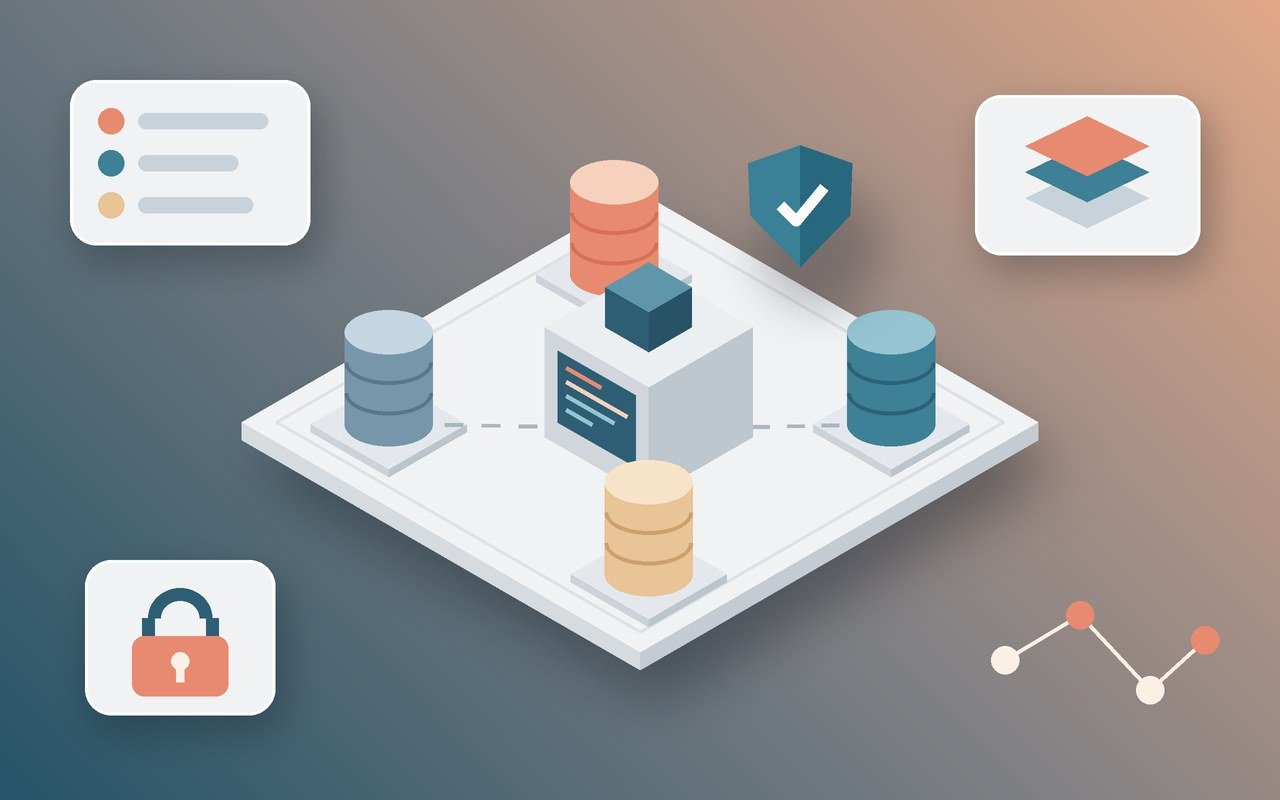
1. Single database, shared tables (tenant_id column)
All tenants live in the same database and the same tables. Every tenant-owned table has a tenant_id (or team_id, organisation_id) foreign key, and every query filters by it. In Laravel this is usually enforced with a global scope applied through a trait on tenant-owned models, plus a creating hook that fills tenant_id automatically.
- Strengths: simplest to build and host, one migration run for everyone, easy cross-tenant reporting for your own team, cheap to onboard a new tenant (it is just a row).
- Weaknesses: isolation depends entirely on application code; one missed scope can expose data. Very large tenants can slow queries for everyone if indexes are not designed carefully. Per-tenant restores are awkward.
- Best for: self-serve B2B products, products with many small and mid-sized tenants, MVPs and products where speed of iteration matters most.
2. Database per tenant
Each tenant gets its own database (or its own schema on PostgreSQL). A central "landlord" database stores tenants, domains, plans and billing; when a request comes in, the application identifies the tenant and switches the database connection before running any queries. Packages such as stancl/tenancy and spatie/laravel-multitenancy handle much of the connection switching, migration running and job context.
- Strengths: strong isolation by default, simple per-tenant backup, restore, export and deletion, the option to host specific tenants in specific regions or on dedicated servers, and noisy tenants cannot bloat shared tables.
- Weaknesses: migrations must run across every tenant database and failures need handling; connection management, monitoring and costs grow with tenant count; cross-tenant analytics require a separate pipeline.
- Best for: products sold to regulated industries, enterprise customers with security questionnaires that ask about isolation, and products with a small number of high-value tenants.
3. Hybrid (shared by default, dedicated on demand)
Most tenants live in a shared database with tenant_id scoping, while selected tenants (usually enterprise accounts) run on a dedicated database or even a dedicated deployment. The code is written so it does not care which one it is talking to.
- Strengths: keeps hosting and operations lean for the long tail while giving large customers the isolation they pay for.
- Weaknesses: the most complex to design well. You need two code paths for provisioning, migrations and backups, and a tested way to move a tenant from shared to dedicated.
- Best for: products that already have a self-serve base and are starting to close larger contracts.
| Factor | Shared tables | Database per tenant | Hybrid |
|---|
| Build effort | Low | Medium | High |
| Isolation | Application-enforced | Infrastructure-enforced | Varies by tenant |
| Hosting cost per tenant | Lowest | Higher, grows with count | Low for most, higher for dedicated |
| Migrations | One run | One run per tenant | Both |
| Per-tenant restore and export | Hard | Easy | Easy for dedicated tenants |
| Cross-tenant reporting | Easy | Needs a data pipeline | Needs a data pipeline |
| Data residency options | Limited | Strong | Strong for dedicated tenants |
How to choose: seven questions to answer first
Before anyone writes a migration, answer these questions with your product and sales leads in the room. The answers usually make the choice obvious.
- Who is the buyer? Small teams paying by card rarely ask how data is isolated. Procurement teams at larger companies often do, and some will require separate databases in the contract.
- How many tenants do you expect in two years? Hundreds of database-per-tenant databases is manageable with good tooling; tens of thousands usually is not without significant platform investment.
- How uneven will tenant sizes be? If one customer could hold most of your data, shared tables need careful indexing and possibly partitioning, or that tenant should be dedicated.
- Do any customers need data in a specific region? Residency requirements push you towards database-per-tenant or hybrid.
- Do customers need restores of only their data? "We deleted a project by mistake, can you restore yesterday's copy?" is easy with separate databases and painful with shared tables.
- Do you need reporting across tenants? Product analytics, usage-based billing and benchmarking features are easier with shared tables.
- How large is the team that will run it? Database-per-tenant adds operational work: migration orchestration, monitoring per database, connection limits. A small team should be honest about that load.
A useful rule of thumb: if you cannot name a current or near-term customer who needs infrastructure-level isolation, start with shared tables and design for a later move. If you can, plan for database-per-tenant or hybrid from day one.
Building shared-table tenancy safely in Laravel
The shared model is only as safe as its enforcement. These are the practices we treat as non-negotiable when SquartUp builds Laravel SaaS platforms on a single database.
Enforce scoping automatically, never by hand
Do not rely on developers remembering to add where tenant_id = ? to every query. Apply a global scope through a shared trait on every tenant-owned model, and fill tenant_id automatically when records are created. Code reviews should treat a model without the trait as a defect unless it is genuinely global (plans, countries, system settings).
Resolve the tenant once, early in the request
Use middleware to identify the tenant from the subdomain, custom domain, route or authenticated user, then store it in a single place the rest of the application reads from. If the tenant cannot be resolved, fail closed with a clear error rather than running unscoped queries.
Carry tenant context into jobs, events and schedules
Queued jobs should store the tenant identifier when dispatched and restore it before handling. Scheduled commands that process all tenants should loop through them explicitly and set context for each one. This is the most common place data leaks appear in otherwise careful codebases.
Scope everything that is not a database row
- Prefix file storage paths with the tenant identifier.
- Prefix cache keys and rate-limit keys per tenant.
- Filter search indexes by tenant at query time, and store tenant_id on every indexed document.
- Include tenant context in logs and error reports so support can trace issues quickly.
Design indexes around tenant_id
Most queries will filter by tenant first, so composite indexes should usually lead with tenant_id (for example tenant_id plus created_at, or tenant_id plus status). Unique constraints should usually include tenant_id too, so two tenants can each have an invoice number 1001.
Prove isolation with tests
Write automated tests that create two tenants with overlapping data, act as a user in tenant A and assert that tenant B's records are never returned by lists, searches, exports, API endpoints or direct ID lookups. Run these on every pull request. A handful of well-designed isolation tests catch far more problems than manual QA.
Building database-per-tenant in Laravel
When isolation must be enforced by infrastructure, the work shifts from query scoping to orchestration.
Separate landlord and tenant concerns
Keep a clear split between landlord data (tenants, domains, subscriptions, admin users) and tenant data (everything the customer works with). Put them in different migration folders and different model namespaces so it is always obvious which connection a model uses.
Automate provisioning
Creating a tenant should be a single, idempotent operation: create the database, run tenant migrations, seed defaults, register the domain, create the first admin user and start the subscription. Run it as a queued job with clear status so a failed signup can be retried safely.
Treat migrations as a deployment step with failure handling
With many databases, a migration that fails on tenant 37 of 200 must not leave the system in an unknown state. Run tenant migrations in batches, log results per tenant, make migrations backward compatible so old and new code can run side by side during rollout, and have a documented way to retry failed tenants.
Plan connection limits and monitoring
Database servers have connection limits, and switching between many databases can exhaust them under load. Use connection pooling where your database supports it, monitor per-tenant database size and slow queries, and decide early how many tenants each database server should hold.
Build a reporting pipeline from the start
Your own team will still need cross-tenant metrics: active users, feature usage, revenue by plan. Rather than querying every tenant database live, sync the metrics you need into a central reporting store on a schedule.
Tenant identification: subdomains, custom domains and tokens
How customers reach their workspace affects routing, authentication and infrastructure.
- Subdomains (acme.yourapp.com) are familiar and easy to route with a wildcard DNS record and certificate. They work well with either tenancy model.
- Custom domains (portal.acme.com) are a common upsell for white-label and agency-facing products. They need domain verification, automated TLS certificates and a lookup table mapping domains to tenants.
- Path-based routing (yourapp.com/acme) keeps everything on one domain, which simplifies cookies and certificates but can complicate SEO and white-labelling.
- User-based resolution, where the tenant comes from the logged-in user's current team, suits products where people switch between several workspaces.
- API tokens should always be bound to a tenant, so an integration can never act outside the account that created it.
Decide early whether one user can belong to multiple tenants. Supporting that later means reworking authentication, invitations, permissions and billing, which is far more expensive than building it in from the start.
Billing, plans and limits per tenant
Billing is where tenancy and revenue meet. Attach subscriptions to the tenant, not the user, so ownership survives staff changes on the customer side. Model plan features and limits (seats, projects, storage, API calls) as data rather than scattered if-statements, and check them through one service so pricing changes do not require hunting through the codebase. Laravel Cashier covers the common Stripe and Paddle flows; usage-based pricing usually needs an additional metering layer that records events per tenant.
Typical cost and timeline ranges
Costs vary widely with scope, but these ranges reflect what a well-run Laravel team typically spends on the tenancy foundation alone, separate from product features.
| Work | Typical effort | Notes |
|---|
| Shared-table tenancy foundation | 1 to 3 weeks | Scoping trait, tenant resolution, job context, isolation tests, team invitations |
| Database-per-tenant foundation | 3 to 6 weeks | Landlord and tenant split, provisioning, batched migrations, monitoring |
| Hybrid foundation | 5 to 10 weeks | Both paths plus a tested shared-to-dedicated move |
| Custom domains with automated TLS | 1 to 2 weeks | Verification flow, certificate automation, domain management UI |
| Retrofitting tenancy into an existing single-tenant app | 4 to 12+ weeks | Depends heavily on codebase size, test coverage and data volume |
Hosting follows a similar pattern. Shared tables usually run on one well-sized database server for a long time. Database-per-tenant costs grow with tenant count and with the monitoring and backup tooling you need around it. If you want a rough figure for your full product rather than just the tenancy layer, our project cost estimator gives a starting range in a few minutes.
Migrating between tenancy models later
Many products start shared and later need to move some or all tenants to dedicated databases. The move is far easier if you prepared for it. Steps that keep that door open:
- Use tenant_id consistently on every tenant-owned table, even ones that seem global today.
- Avoid cross-tenant foreign keys and joins in product features, so a tenant's data can be lifted out cleanly.
- Use UUIDs or ULIDs for primary keys on tenant data, so records keep their identity when copied to another database without ID collisions.
- Centralise database access through models and repositories rather than raw queries spread across the code.
- Build a tenant export early. It doubles as a customer-facing data export and the first half of any migration tool.
When the time comes, a typical move runs in stages: copy the tenant's data to the new database, verify row counts and checksums, switch the tenant's connection in a short maintenance window, monitor, then remove the old rows after a safe period. Rehearse it on a staging copy first.
Common multi-tenancy mistakes that cause rework
- Adding tenancy after launch. Retrofitting tenant_id into dozens of tables with live data is one of the most expensive refactors in SaaS. Build it in from the first sprint, even if you launch with one customer.
- Scoping by hand. Manual where clauses work until the first rushed hotfix forgets one.
- Forgetting background jobs. Jobs that run without tenant context either fail or, worse, run against the wrong tenant.
- Shared file paths. Uploads stored without a tenant prefix are hard to export, delete or move later.
- Admin tools that bypass scoping silently. Internal admin panels need cross-tenant access, but it should be explicit, logged and limited to staff roles.
- Choosing database-per-tenant for prestige. Without a customer requirement, it adds operational load that slows feature delivery for a small team.
- No isolation tests. If nothing fails when scoping breaks, you will find out from a customer.
Security and compliance checklist
Whichever model you choose, run through this list before your first paying customers and again before any enterprise security review:
- Every tenant-owned model is scoped automatically and covered by isolation tests.
- Tenant resolution fails closed when no tenant can be identified.
- Authorisation policies check both the user's role and the record's tenant.
- Direct object references (IDs in URLs and API calls) cannot reach another tenant's records.
- Files, caches, search indexes and queues are tenant-aware.
- Staff access to tenant data is role-limited and audit-logged.
- Backups are encrypted and restores have been tested, including a single-tenant restore path.
- You can export and permanently delete one tenant's data on request.
- Rate limits are applied per tenant so one account cannot degrade the service for others.
- Your documentation explains the isolation model clearly for security questionnaires.
What to ask a development partner about multi-tenancy
If you are hiring a team to build or rescue a Laravel SaaS, their answers to these questions tell you a lot about how they will handle your product:
- Which tenancy model would you recommend for our customers, and why not the alternatives?
- How do you enforce tenant scoping, and how do you prove it in tests?
- How does tenant context reach queued jobs, scheduled commands and webhooks?
- How would we move a large customer to a dedicated database later?
- How do you run migrations safely if we have many tenant databases?
- What does a single-tenant restore look like in your design?
A strong partner will ask about your buyers, contract requirements and growth plans before recommending anything. Be cautious of a team that proposes the same architecture for every product without asking.
How SquartUp approaches Laravel SaaS tenancy
At SquartUp we build and extend Laravel products for founders, SaaS companies and agencies, and tenancy is one of the first things we settle in discovery. We start from your customers and contracts, recommend the simplest model that meets them, and put automated isolation tests in place from the first sprint so the guarantee holds as the product grows. For teams with an existing single-tenant application, we plan staged retrofits that keep the product live while tenancy is introduced underneath it.
Across 50+ projects for 25+ clients in 12+ countries, we have found that the teams who ship fastest are the ones who make this decision early, write it down and enforce it in code rather than in habit. You can see the kind of platforms we work on in our case studies, or browse our full range of development services.
Next steps
If you are planning a new SaaS product, preparing for your first enterprise customer or untangling tenancy in an existing Laravel codebase, a short architecture review can save weeks of rework later. Get in touch with SquartUp to talk through your product, your customers and the tenancy model that fits them.